DanceLive now
Babydoll Dance AI: Turn One Photo Into the Viral Dance
Soft, dreamy choreography, frame for frame.
The babydoll dance trend is a slow, camera-facing routine with soft arms and a gentle sway. This template places one photo of you inside that exact clip, so you can join the trend without learning the steps or filming yourself.
All Dance templates How to make a Babydoll Dance videoAlso searched as: babydoll dance ai video · babydoll dance template · babydoll dance prompt
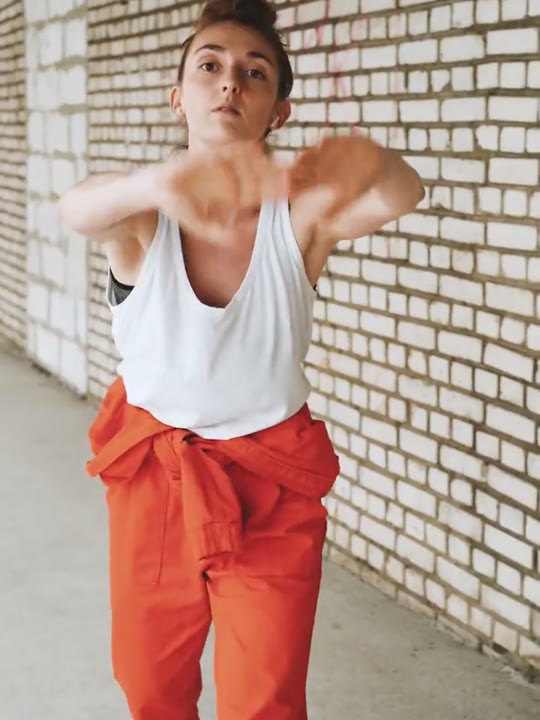
Reference clip (stock demo)
Sample clips are licensed stock footage that demonstrate each template’s motion.
What the babydoll dance video looks like
The babydoll dance clip is quiet rather than high-energy. The performer stays close to the camera, sways from side to side and lets the arms follow the beat in small, deliberate movements. The reference routine runs about fifteen seconds and never cuts away.
Because the camera is fixed and the performer stays centred, the face is readable for the whole shot. The background stays soft and uncluttered, which keeps attention on the sway and the hands rather than on whatever is behind the performer.
How to make the babydoll dance video on Shotonia
You do not need to learn the choreography, find someone to film you or set up a tripod. The whole job is one photo, one length and one tap, and the template supplies the routine and the camera work.
- 1
Add your photo
Upload a recent, sharp portrait of one adult facing the camera. JPG, PNG and WebP are accepted up to 10 MB, and the whole head and shoulders should be inside the frame.
- 2
Choose a length
Pick 6 seconds for a quick hook, 12 seconds for most of the routine or 15 seconds for the full sway with room at the ends. One credit buys one second of video.
- 3
Generate
Confirm that the photo is yours or that you have permission, then start the render. The finished vertical MP4 appears in My videos when it is ready.
Which photo works best
Choose a recent, sharp photo of one person facing the camera. The whole head and shoulders should be visible, the light should be even and the face should not be covered by sunglasses, a mask or a heavy filter.
A plain wall or a soft outdoor background is easier for the model than a crowded scene. If you only have a group photo, crop it to one person before uploading, because the routine is built for a single performer and extra faces can drift between frames.
The babydoll dance prompt recipe
You never write a prompt. The template carries its own instructions for camera distance, body movement and timing, and the model combines them with your photo.
Those instructions ask for a steady camera, a centred performer and a slow sway that matches the reference clip. They also ask the model to keep your face, hair and clothes, which is why a clean photo matters more than any text you could type.
The recipe avoids naming a song, an artist or an original creator. It describes movement and framing only, so the output is a new clip in the style of the trend rather than a copy of one specific video.
Variants: one photo, one performer
This template takes one photo of one adult. The choreography is built around a single performer, so there is no second photo slot and no way to add a friend inside the same render.
Two-person versions are not available for this template. If you want a clip with a friend, choose a template that explicitly supports two photos, and make sure both people have agreed to appear.
How many credits does it cost
Every second of video costs one credit, so 6 seconds for 6 credits, 12 seconds for 12 credits, 15 seconds for 15 credits. Failed renders are refunded automatically, which means a retry does not use up your balance.
Credit packs start at $9.90. Pack credits do not expire, so you can test a short version first and come back for the full routine later. There is no subscription required to render once.
What happens in your babydoll dance video
The result is a vertical 9:16 MP4 without a visible watermark, ready for TikTok, Reels or Shorts. The clip keeps the framing of the reference and stars you.
The template does not include licensed pop music. Add your own track in the app where you post, or publish it silent and let the visual carry the loop. When you publish it, tell viewers the video is AI-generated.
Where the babydoll dance trend came from
The routine spread as a short, repeatable format: one performer, one camera angle and a soft, slightly nostalgic mood. The movements are small enough that viewers can copy the feel without a dance background.
That low barrier is also why AI versions became popular. Instead of practising the choreography, people upload a photo and publish a version that still reads as part of the trend. The template keeps the mood without borrowing anyone else’s footage.
Babydoll dance aliases and related searches
People find this template under babydoll dance AI video, babydoll dance template and babydoll dance prompt. These phrases describe the same clip, so there is one page instead of a thin page for every variation.
Nearby searches include soft girl dance AI and dreamy dance template. If a phrase is not listed here, start from the template center rather than guessing a URL.
What goes wrong, and how to fix it
A soft face usually means the photo was blurry, small or heavily filtered. A cropped head usually means the subject filled the frame edge to edge. A distorted result is often caused by two people or a busy background.
Re-upload a sharper portrait with the whole head and shoulders visible, then try again. Provider-side failures are refunded automatically, so a retry does not cost extra credits. If the sway looks too fast, try the 12-second cut before the 15-second one.
Frequently asked questions
What is the babydoll dance trend?
It is a short, slow dance routine filmed close to the camera, with small arm movements and a gentle sway. People copy the same choreography and post their own version, which is what makes it a template rather than a one-off clip.
Do I need to know the dance to use this template?
No. The template carries the motion itself and applies it to your photo. You do not film, rehearse or match the beat; you only choose a photo and a length.
How many photos does the babydoll dance template need?
One photo of one adult. The routine is built for a single performer, so a second person in the photo can confuse the model and distort the result.
Which photo gives the best babydoll dance result?
A sharp, recent portrait facing the camera in even light, with the whole head and shoulders visible. Avoid sunglasses, masks, heavy filters and photos where the face is turned away.
Do I have to write a prompt?
No. The template already contains the motion, camera and identity instructions. You choose a photo and a length, and the same recipe runs for every user.
How long does a babydoll dance video take to render?
Most renders finish in a few minutes, depending on the queue and the length you picked. You can close the page; the finished video waits in My videos.
How much does a babydoll dance AI video cost?
One credit per second: 6 seconds for 6 credits, 12 seconds for 12 credits, 15 seconds for 15 credits. Credits come in packs from $9.90 and never expire, and a failed render is refunded automatically.
Can I make a babydoll dance video with a pet or a friend?
No. This template accepts one photo of one person. Pet and two-person variants are not supported by this template.
Can I post the video on TikTok, Reels or Shorts?
Yes. You get a vertical MP4 without a visible watermark. When you publish it, tell viewers the video is AI-generated.
Does the template include music?
No. It does not supply licensed songs or soundalikes. Add a track you have the rights to in the app where you publish, or export the clip silent.
Can I use the clip commercially?
You can use your own generated clip in personal projects and on social accounts you run. Do not present it as real footage, and only upload photos of yourself or adults who gave permission.
Why does the face look different from my photo?
The model rebuilds the routine around your portrait, so small differences appear in the eyes, jaw and hairline. A sharp, front-facing photo with even light keeps the likeness closer.
More AI video templates
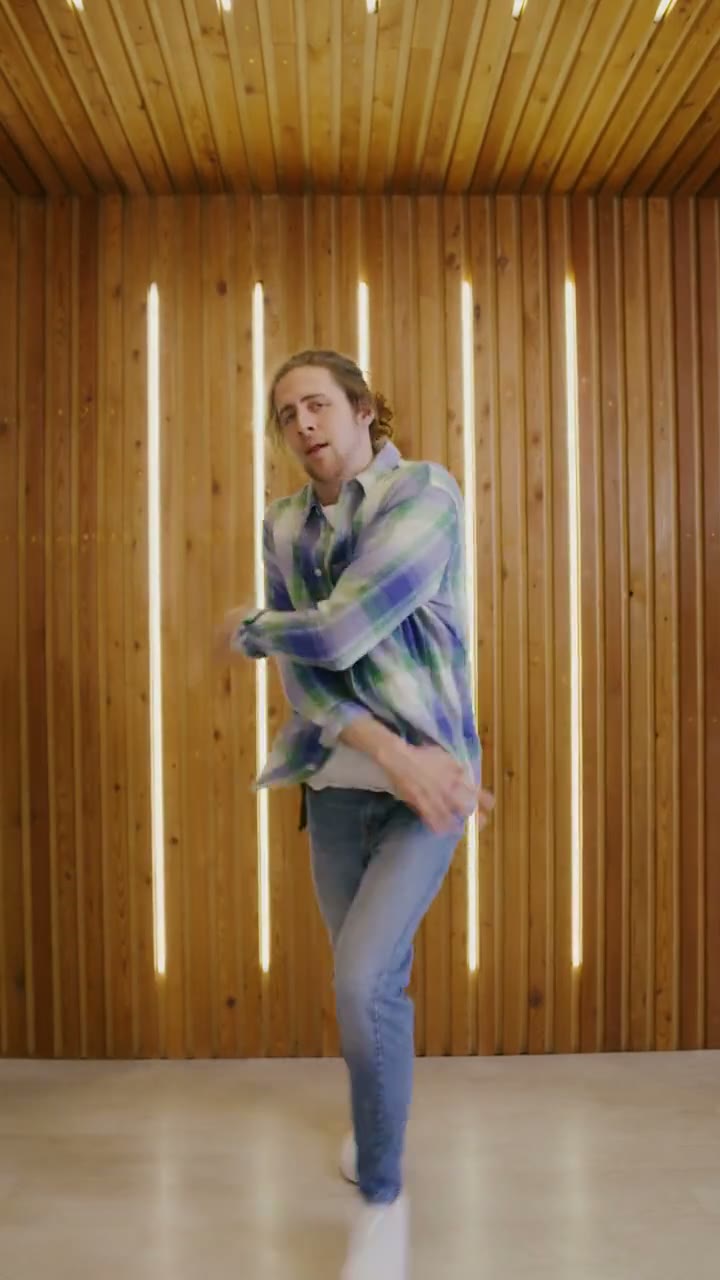
Sample clips are licensed stock footage that show each template’s motion. They are not AI output and are not affiliated with the people or brands in the original trend videos. Template names are descriptive references only. Use only photos of yourself or adults who gave permission, and say the video is AI when you share it.
Your next video is one photo away
Pick a template, upload a portrait and download a vertical MP4.